
Protect existing
password logins
Add TOTP verification to Standard XWiki, LDAP or Active Directory password-based logins without changing how passwords are checked.

Add TOTP-based MFA to XWiki, LDAP and Active Directory password logins. Manage enforcement, recovery and security activity directly in XWiki.
Secure password logins with practical controls for users and administrators.
Add TOTP verification to Standard XWiki, LDAP or Active Directory password-based logins without changing how passwords are checked.
Require MFA for administrators, groups or everyone. Configure exemptions and enrollment grace periods.
Register more than one authenticator app and remove an individual device when it is replaced or lost.
Use one-time recovery codes, trusted browsers and optional email verification when additional access options are needed.
Create separate, revocable credentials for compatible REST API and WebDAV clients that use HTTP Basic authentication.
Review adoption, enrollment, recovery-code use, failed challenges, account locks and security notifications.
The matching + MFA authenticator checks the password as usual and then requests a TOTP code when MFA is required or already enabled for that user.
Each wiki in a farm can select its own authentication method. Subwikis can inherit eligible MFA settings from the main wiki or use local policies.
Note: LDAP and Active Directory require their corresponding extensions. Sign-ins handled by an external SSO identity provider do not automatically receive an additional MFA challenge.
Set your MFA policy and see which accounts need attention.
Choose who must enroll and how users confirm their first setup.
The administration overview helps identify missing coverage and recent security events.
Users scan a QR code and confirm a TOTP code. Later, they can add authenticator apps, manage trusted browsers, generate recovery codes and review their MFA activity from their profile.
Optional email verification can assist with sign-in recovery. Compatible scripts and integrations can use dedicated application passwords instead of a user's main password.
After the usual password check, XWiki asks for an authenticator code when a second factor is needed.
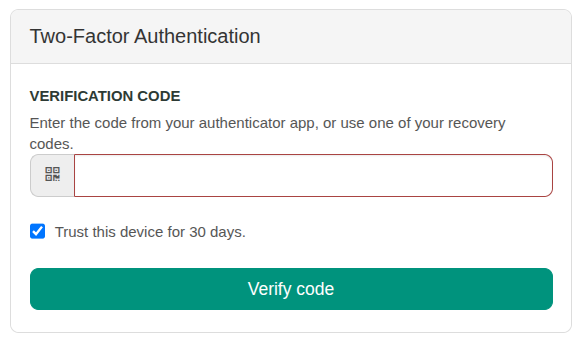
Available verification options depend on your MFA configuration.
Find installation steps, authentication choices, policy settings, enrollment, recovery, app passwords, wiki farms and troubleshooting.
Share your XWiki version, authentication method, user count and wiki farm setup. Agnease can help review compatibility, licensing and deployment.
No. Select the matching + MFA authenticator to keep password verification and add a TOTP challenge. LDAP and Active Directory authenticators must be installed and configured separately.
Not automatically. The application protects supported password-based logins. For an external identity provider, MFA should be enforced by that provider unless a separate integration has been implemented.
Yes. Each wiki can select its own authentication method. MFA-enabled subwikis can inherit eligible policies from the main wiki or configure local settings.
Users can sign in with an unused recovery code, or an administrator can reset their MFA enrollment. Optional email verification is available when enabled in the configuration.
Tell us about your login setup and how many users you need to protect. We can help with the right configuration and licensing.